Email deliverability is the difference between a campaign that generates six figures and a campaign that generates nothing. For forex brokers, prop firms, and CFD brokers, deliverability is harder than in almost any other industry - financial services is flagged by mailbox providers as a high-risk category, and the content you are sending (trading educational material, offers, challenge reminders) triggers spam filters more aggressively than a typical ecommerce email would.
This is the definitive playbook for email deliverability for forex and trading brokers. Not generic deliverability advice rebadged for finance. This is the specific configuration, warmup process, authentication, content rules, and monitoring system that actually keeps trading emails in the inbox at scale. If you run email marketing for a trading brand and your open rates are stuck below 20%, deliverability is almost certainly the bottleneck - and everything in this article is directly actionable.
Why Email Deliverability Is Harder for Trading Brands
Before the playbook, understand the battlefield. Mailbox providers (Gmail, Outlook, Yahoo, Apple Mail, corporate systems) score every email based on dozens of signals: authentication, sender reputation, content, engagement history, recipient behavior, and more. For trading brands specifically, the deck is stacked:
- Financial services is a flagged category. Mailbox providers treat finance emails with extra scrutiny because historically the category has had high spam volume, scam content, and unsolicited offers.
- Trading-specific vocabulary triggers filters. Words like "profit," "guarantee," "trading signals," "free funded account," "no risk" - all of them trigger content-based spam scoring. Even legitimate emails can get filtered because the language of trading overlaps with the language of scams.
- Your audience includes many disposable addresses. Traders tend to use throwaway emails for trading signups - burner addresses created for deals, bonuses, and challenges. These accounts have lower engagement and higher bounce rates, which damages your sender reputation.
- Gmail and Outlook apply stricter rules to bulk senders as of 2024. The new requirements (enforced DMARC, one-click unsubscribe, spam complaint rate thresholds) hit financial services harder because of the baseline skepticism.
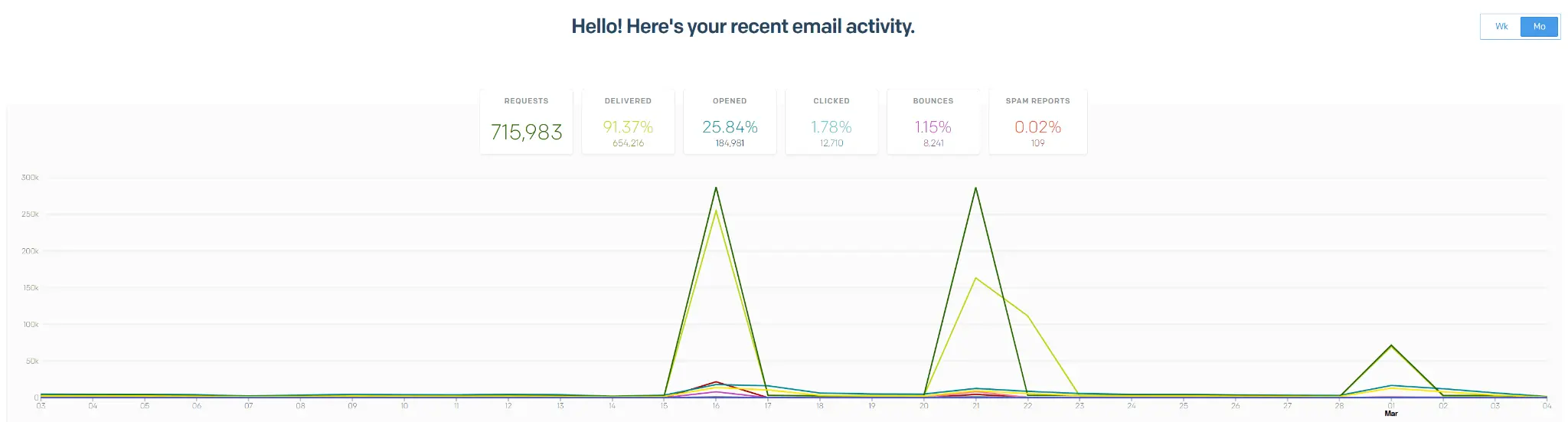
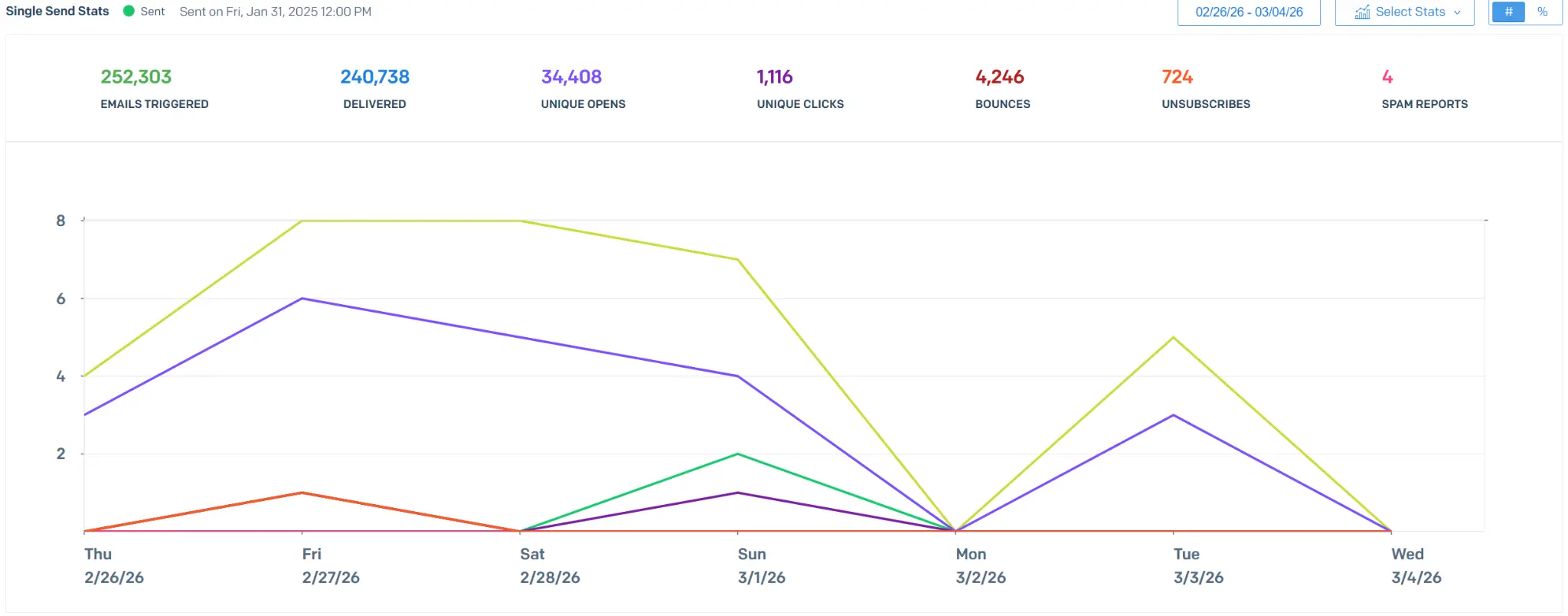
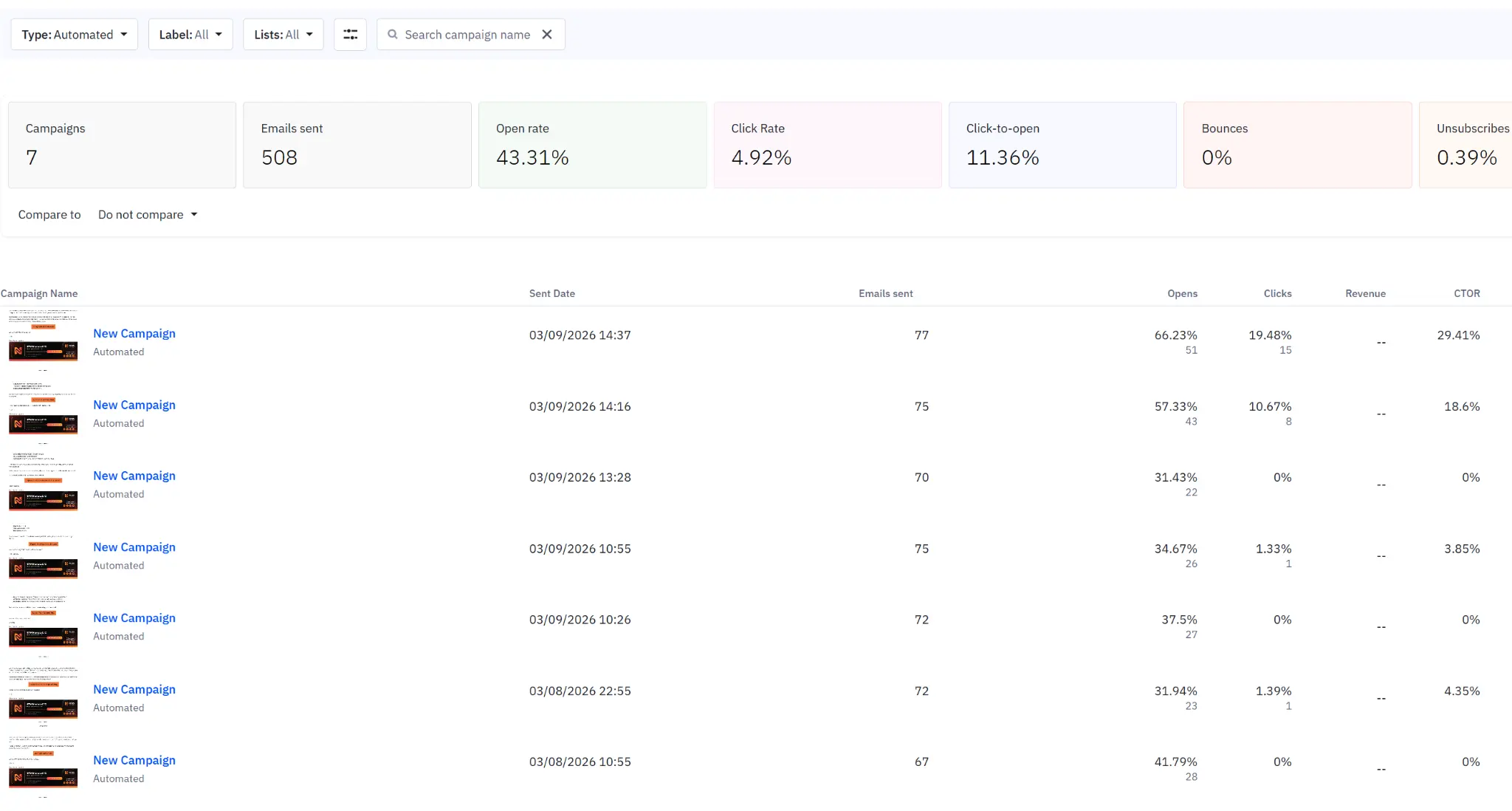
The good news: none of this is fatal. Trading brands can and do achieve 25-35% open rates on lists of 300,000+ contacts. The method is just more deliberate. Every piece of infrastructure has to be right. Every content decision has to respect the filters. There is no margin for sloppy setup.
Part 1: Authentication - SPF, DKIM, DMARC
Authentication is table stakes. If SPF, DKIM, and DMARC are not configured correctly on your sending domain, your emails will not reach the primary inbox in 2026. Full stop. Gmail and Yahoo both require these for bulk senders, and Outlook treats unauthenticated senders with maximum suspicion. Here is exactly what each one does and how to set it up correctly.
SPF (Sender Policy Framework)
SPF is a DNS record that tells mailbox providers which IP addresses and domains are allowed to send email on behalf of your domain. It is a TXT record on your sending domain.
Important rules for SPF:
- Only one SPF record per domain. Multiple SPF records break authentication entirely.
- Stay under 10 DNS lookups. Each
include:counts toward the lookup limit. Exceeding it causes a "permerror" and authentication fails. - Use
~all(softfail) during setup and testing, then move to-all(hardfail) once you are confident. Hardfail is stricter and better for production. - Include every service that sends on behalf of your domain. ESP, transactional service, helpdesk, CRM - all of them.
DKIM (DomainKeys Identified Mail)
DKIM adds a cryptographic signature to every outgoing email, proving that the message was actually sent by your domain and has not been tampered with in transit. Your ESP will provide the DKIM keys - typically two CNAME records that point from your domain to the ESP's signing infrastructure.
Key rules for DKIM:
- Use 2048-bit keys, not 1024-bit. Older keys are considered weak and some providers downgrade sender reputation for them.
- Rotate keys periodically. Most ESPs handle this automatically. Verify your ESP uses key rotation.
- Every sending subdomain needs its own DKIM setup. If you send from mail.yourdomain.com as well as yourdomain.com, both need DKIM configured.
DMARC (Domain-based Message Authentication, Reporting & Conformance)
DMARC ties SPF and DKIM together and tells mailbox providers what to do with messages that fail authentication. It also provides reporting - you get a daily/weekly report from Gmail, Yahoo, and others showing who is sending email claiming to be from your domain. This is how you catch spoofing and phishing attempts.
DMARC enforcement policies, in order of strictness:
p=none- Monitor only. Use this for the first 30-60 days while you verify nothing legitimate is failing authentication.p=quarantine- Send failing messages to spam. Use this once you are confident all legitimate mail passes.p=reject- Reject failing messages entirely. Strongest protection. Mandatory for bulk senders at high volume under current Gmail/Yahoo requirements.
Gmail and Yahoo require at least p=none with valid reporting for senders of more than 5,000 emails per day. If you send more than 5,000/day and do not have DMARC configured, your delivery rate is already compromised.
Part 2: Domain Warmup - The First 8 Weeks
Domain warmup is the process of gradually building sender reputation on a new or cold sending domain. Sending high volume from day one is the fastest way to get blacklisted. Mailbox providers watch new sending patterns carefully and flag anything that looks like a sudden spike as suspicious.
For trading brands - who typically have lists of 50,000-500,000+ contacts and want to activate them quickly - the warmup is even more important because the temptation to skip it is higher. Here is the 8-week protocol we use for trading brand domain warmups:
Week 1: Foundation
- Authentication configured (SPF, DKIM, DMARC).
- Verify inbox placement via seed tests to Gmail, Outlook, Yahoo, Apple Mail.
- Send volume: 50-100 emails per day.
- Recipients: Your most engaged contacts only - people who opened/clicked in the last 14 days.
- Content: Simple, plain text emails or minimal HTML. No images, no heavy links.
- Goal: Positive engagement signals (opens, clicks, replies) with zero spam complaints.
Week 2: Expand Engagement Segments
- Send volume: 250-500 emails per day.
- Recipients: Engaged contacts from the last 30 days.
- Content: Slightly richer HTML, limited images, educational and welcome content.
- Goal: Maintain high engagement rates, monitor spam complaints (keep below 0.1%).
Week 3-4: Scaling Up
- Send volume: 1,000-2,500 emails per day, doubling across the two weeks.
- Recipients: Engaged contacts from the last 60 days.
- Content: Full lifecycle emails, product updates, light promotional content.
- Monitor: Bounce rate (keep under 2%), spam complaints (under 0.1%), inbox placement.
Week 5-6: Broader Segments
- Send volume: 5,000-10,000 emails per day.
- Recipients: Expand to 90-day engaged segment.
- Content: Normal marketing content, including promotional campaigns.
- Watch for: Any dips in open rates or spikes in bounce/complaint rates. Hold volume if metrics deteriorate.
Week 7-8: Full Volume
- Send volume: Scale to full daily sending target.
- Recipients: Full active list. Exclude contacts with no engagement in 180+ days until a separate reactivation campaign runs with stricter criteria.
- Content: Full content mix, including time-sensitive promotions.
- Goal: Stable, high-deliverability baseline for ongoing sends.
Critical rule during warmup: never send to unengaged or old contacts. An email to a contact that has not opened anything in 12 months is a spam complaint waiting to happen. During warmup, every email should go to someone likely to engage positively. After warmup, you can expand the segments, but unengaged contacts should always be handled through targeted reactivation campaigns - not blasted with normal marketing emails.
Want results like these for your brand?
Part 3: Content Rules That Protect Deliverability
Even with perfect authentication and a warmed domain, bad content choices will destroy deliverability. For trading brands, the content rules are more important than for most industries because every word you use is being scored against known spam patterns.
Spam Trigger Words to Avoid
There is a long list of words that automatically raise the spam score of an email. For trading specifically, the worst offenders include:
- Money/profit language: guarantee, risk-free, 100%, no risk, easy money, fast cash, make money, get rich, free money, earn extra cash
- Urgency language: act now, limited time, hurry, urgent, don't wait, deadline, expires soon, last chance, now or never
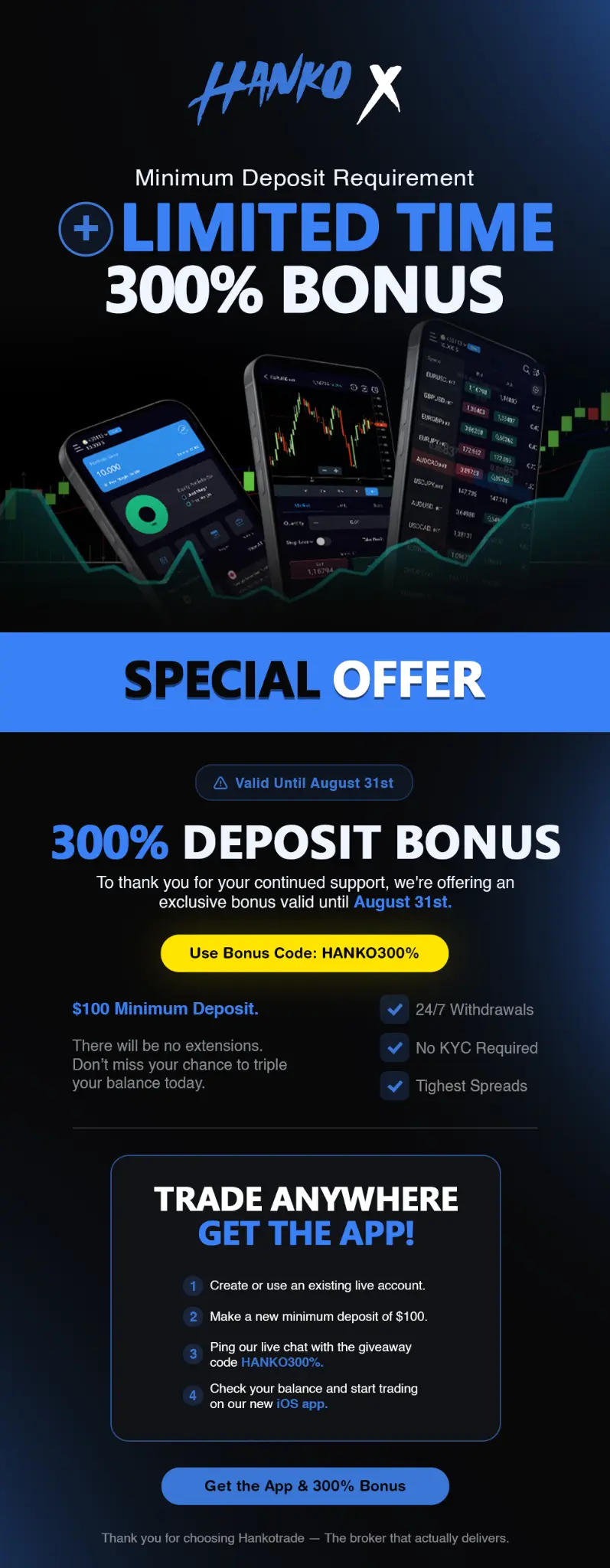
- Offer language: best price, special promotion, order now, lowest price, huge discount, save big, bargain, bonus
- Trading-specific triggers: guaranteed returns, hot tip, insider info, profit from, financial freedom, trading signals that always win
- Formatting triggers: ALL CAPS text, excessive exclamation points, multiple dollar signs, too many emojis
This does not mean you cannot talk about profits, offers, or trading - it means you need to phrase content naturally instead of reaching for cliched promotional language. "How Jake grew his funded account to $50K" is a fine subject line. "GUARANTEED $$$ - CLAIM YOUR FREE FUNDED ACCOUNT NOW!!!" is an instant spam folder.
Formatting Red Flags
- HTML to text ratio. Emails that are 100% images with almost no text are classic spam patterns. Always include meaningful plain text.
- Broken HTML. Malformed tags, unclosed elements, or invalid CSS can lower your spam score. Validate every template.
- Excessive links. 20+ links in a single email looks like spam. Keep to 3-7 meaningful links.
- Suspicious link shorteners. Bitly and similar shorteners are overused by spammers. Use branded tracking domains instead.
- Link-to-text imbalance. If 80% of the characters in your email are URLs, you have a problem.
- Attachments. Marketing emails should almost never have attachments. They are a strong spam signal.
Subject Line Best Practices for Trading
- Keep between 6-10 words. Short subject lines feel personal. Long ones feel promotional.
- Lowercase is usually better. "your challenge progress this week" feels like a friend writing to you. "YOUR CHALLENGE PROGRESS THIS WEEK" feels like marketing spam.
- No punctuation overload. One question mark maximum. No exclamation points. No emojis in trading emails (they trigger spam filters more in finance than in ecommerce).
- Personalization when appropriate. First names, account details, behavioral references all boost engagement.
- Avoid the top spam words. Reference the list above and scrub every subject line.
Required Compliance Elements
Every marketing email must include:
- Physical mailing address of the sender (CAN-SPAM requirement).
- Clear unsubscribe link - one-click in 2026, as required by Gmail and Yahoo bulk sender rules.
- Honest sender information - the From name and email should clearly identify your brand.
- Risk disclaimer for trading content - not just for compliance, but for deliverability. Inbox providers recognize standard financial services disclaimers and use them as trust signals.
Part 4: List Hygiene - The Silent Deliverability Killer
List hygiene is the single most underrated deliverability factor. Trading brands often have massive lists with thousands of old, unengaged, or invalid addresses. Sending to those addresses is actively harming your sender reputation - every time you send an email to a dead address, every time you send to someone who ignores you, every time you send to a spam trap, your reputation score drops a notch.
Here is the list hygiene protocol:
- Remove hard bounces immediately. Hard bounces indicate permanently invalid addresses. Continuing to send to them is pure damage.
- Suppress soft bounces after 3-5 consecutive failures. Soft bounces are temporary issues. But if an address consistently soft-bounces, it is effectively dead.
- Segment by engagement. Contacts that have not opened or clicked in 90 days should be moved to a lower-frequency nurture track. 180+ days with no engagement: move to reactivation only.
- Run periodic list validation. Services like ZeroBounce, NeverBounce, or BriteVerify can scan your list and flag risky addresses. Run this quarterly minimum, before any major campaign.
- Honor unsubscribes instantly. Someone who unsubscribes today should never receive another email from you. Delays create spam complaints.
- Avoid buying or renting email lists. Ever. Bought lists contain spam traps, unengaged addresses, and people who never consented - all three poison your sender reputation for months.
Part 5: Monitoring and Diagnostics
You cannot optimize what you cannot measure. Set up deliverability monitoring before you scale up sending. Here is the minimum monitoring stack for a trading brand:
- ESP deliverability reports. Customer.io, ActiveCampaign, and SendGrid all provide delivery, bounce, complaint, and engagement metrics. Review them weekly.
- Postmaster Tools (Gmail, Yahoo, Outlook). Set up Google Postmaster Tools, Yahoo Sender Hub, and Microsoft SNDS. These show you your domain and IP reputation as seen by each provider. This is unique real-world data you cannot get elsewhere.
- Seed list testing. Services like GlockApps and Everest send your campaign to a seed list of real accounts across Gmail, Outlook, Yahoo, Apple Mail, and corporate systems, then report inbox placement by provider. Do this before every major campaign.
- DMARC reporting aggregation. Services like Postmark DMARC, EasyDMARC, or dmarcian parse the raw DMARC reports into readable dashboards. Essential for catching spoofing and authentication failures.
- Blacklist monitoring. MXToolbox and Spamhaus DBL checks - run them weekly and on any sudden deliverability drop.
KPIs to Watch
- Inbox placement rate: Target 95%+ in the primary inbox. Below 85% means deliverability problems.
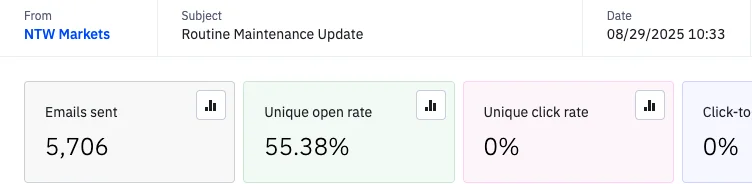
- Open rate: Target 25%+ for well-segmented trading lists. Below 15% suggests deliverability or relevance issues.
- Click rate: Target 3-5%. Lower suggests weak content or wrong audience.
- Bounce rate: Keep under 2%. Above 5% is a serious list hygiene problem.
- Spam complaint rate: Keep under 0.1%. Gmail's bulk sender rules require under 0.3% as a hard limit, with 0.1% as the ideal.
- Unsubscribe rate: Keep under 0.3% per send. Higher means content relevance issues.
Want results like these for your brand?
Provider-Specific Rules: Gmail, Outlook, Yahoo
Gmail
Gmail is the most important inbox for trading brands - typically 50-70% of a list is Gmail. Gmail's filters are engagement-driven: emails that get opened, clicked, and replied to consistently land in the primary inbox. Emails that get ignored or archived without opening drift to Promotions and eventually Spam. For Gmail specifically: focus on engagement metrics, use one-click unsubscribe, stay under 0.1% spam complaint rate, and authenticate everything.
Outlook (Microsoft)
Outlook is the second-most important provider for trading, particularly for institutional and professional traders. Outlook uses IP and domain reputation more heavily than Gmail. A new IP or domain will be treated with extreme suspicion. The Microsoft SNDS (Smart Network Data Services) dashboard gives you IP-level reputation data for any IP you are sending from. Check it weekly.
Yahoo / AOL / Verizon
Yahoo follows the 2024 bulk sender rules alongside Gmail. Complaints and engagement matter more than most. Yahoo is aggressive about sending emails to spam when complaint rates spike even briefly.
Corporate and Secure Gateways
A percentage of your audience will be using corporate email with gateways like Barracuda, Mimecast, or Proofpoint. These gateways have their own filtering rules and often block financial services emails aggressively. There is limited direct control, but strong authentication, good content practices, and clean sender reputation are what protect delivery to these destinations.
Deliverability Pre-Flight Checklist
Before you send any major campaign, walk through this checklist:
- SPF, DKIM, and DMARC all passing on the sending domain
- DMARC policy at quarantine or reject (not none)
- Domain and IP warmed up to appropriate send volume
- List scrubbed of hard bounces and 180+ day unengaged contacts
- Subject line under 10 words, no spam triggers, lowercase where appropriate
- Physical address and one-click unsubscribe present
- Risk disclaimer included where appropriate
- Seed list test run and inbox placement above 90% on key providers
- Content validated for spam triggers and formatting issues
- Monitoring dashboards (Postmaster Tools, DMARC reports) active

Common Deliverability Mistakes Trading Brands Make
- Sending from a cold domain at full volume. The number one cause of immediate blacklisting. Always warm up.
- Using a free email in the From field. Sending from yourbroker@gmail.com instead of newsletter@yourbroker.com. Not only does this look unprofessional, it fails DMARC alignment and lands in spam.
- Sending to the entire list with every campaign. Destroys engagement rates. Always segment.
- Copy-pasting promotional language from other industries. Ecommerce language works in ecommerce. In finance, it triggers spam filters.
- Ignoring DMARC reports. You set it up once and never look at the data. Spoofing attacks, misconfigurations, and authentication failures all show up in DMARC reports if you read them.
- Skipping domain warmup when switching ESPs. A new ESP means new sending infrastructure. Treat it like a cold start, not a continuation.
- Leaving old unengaged contacts in the active list. Every inactive contact is a future spam complaint or bounce. Clean ruthlessly.
How AIM Handles Deliverability for Trading Brands
At AIM, deliverability is not an afterthought - it is the foundation of every email engagement. For every new forex broker, prop firm, or CFD broker we onboard, the first 30 days are dedicated to authentication setup, domain warmup, list hygiene, and monitoring infrastructure. Only after that foundation is built do we start scaling up volume.
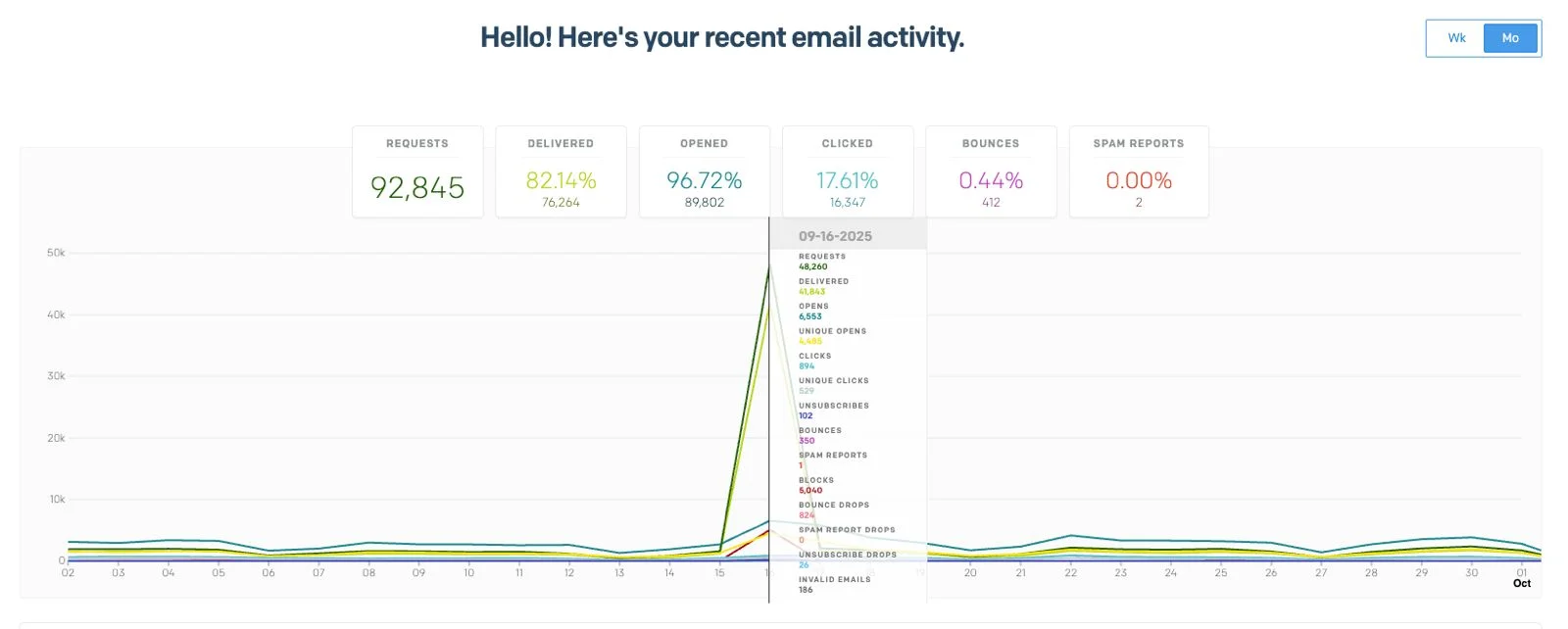
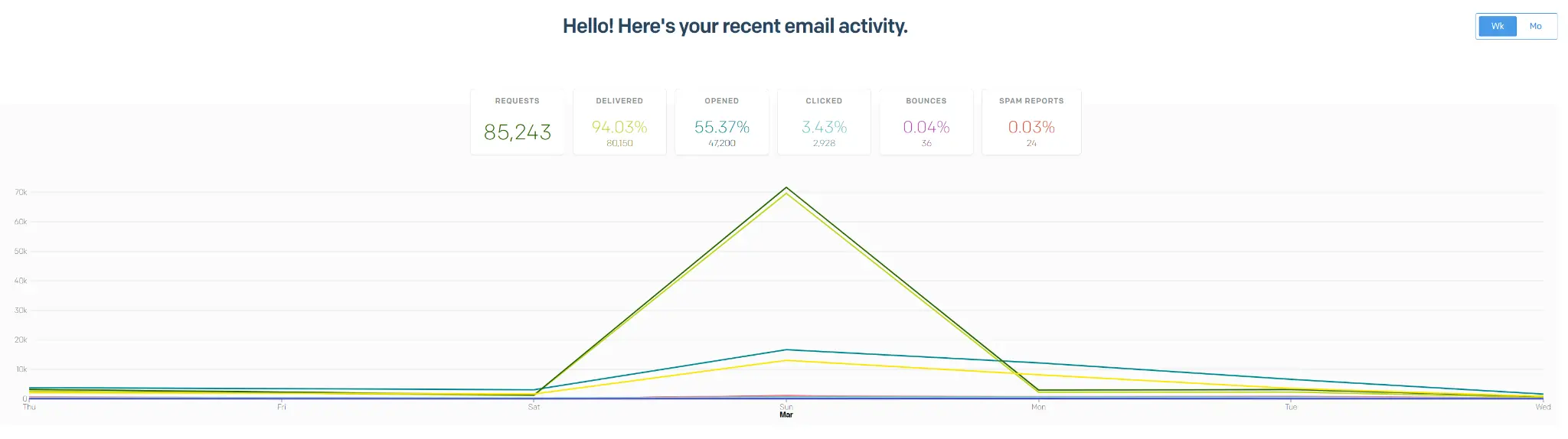
The result is consistent: 25%+ open rates on lists of 300,000+ contacts, inbox placement rates above 95% on primary providers, and spam complaint rates consistently under 0.08%. These are the numbers that happen when deliverability is treated as a technical engineering discipline rather than a side effect of content quality.
For the full picture of how this fits into broader email marketing strategy, our email marketing for forex brokers guide walks through the sequences and infrastructure in depth. And for prop firm specifics, email marketing for prop firms covers the lifecycle details.
Ready to build a marketing engine that actually generates revenue?